This guide shows you how to use Canlyo, your management panel. Your members use the free Canlyo app to book the classes you create.
When you log in, your dashboard greets you with a "Go live in 3 steps" checklist. This guide walks through those essentials, and everything else, in 7 steps.
Set up your center in 7 steps
1Create your account
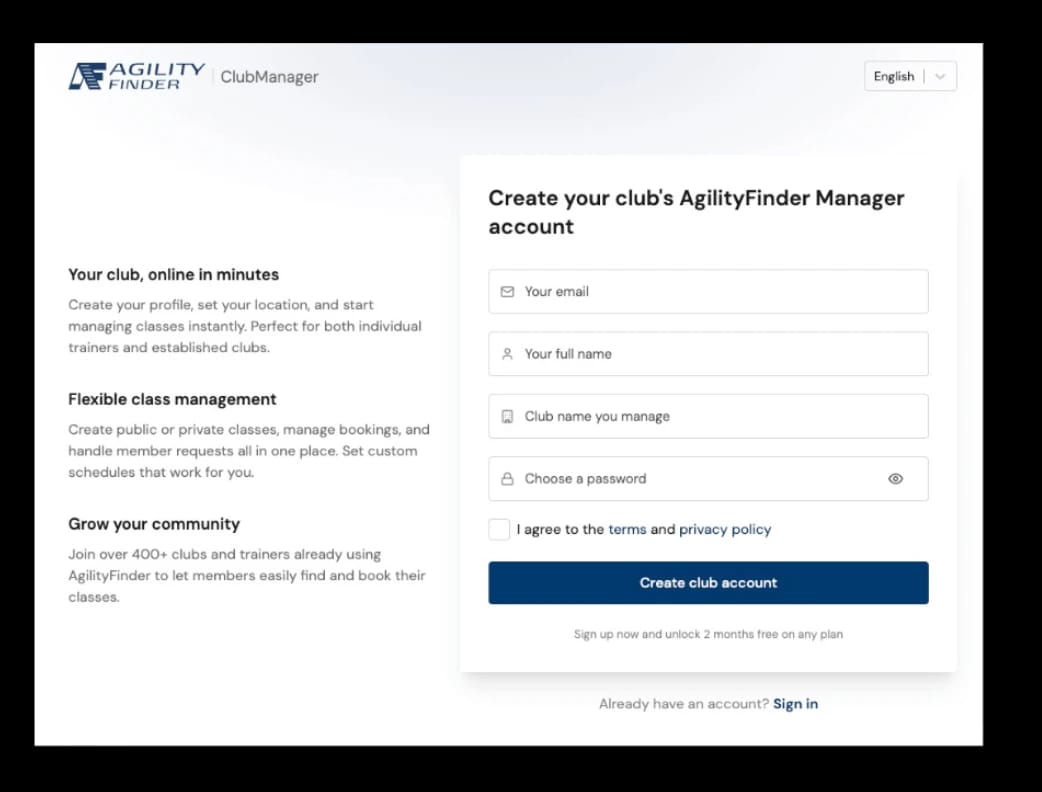
- Go to manager.canlyo.com/auth/register.
- Fill out the form: your name, your center's name, email, and a password.
- Check your email and confirm your account.
- You are all set.
2Set up your center profile
This is what your members and potential new members see in the app.
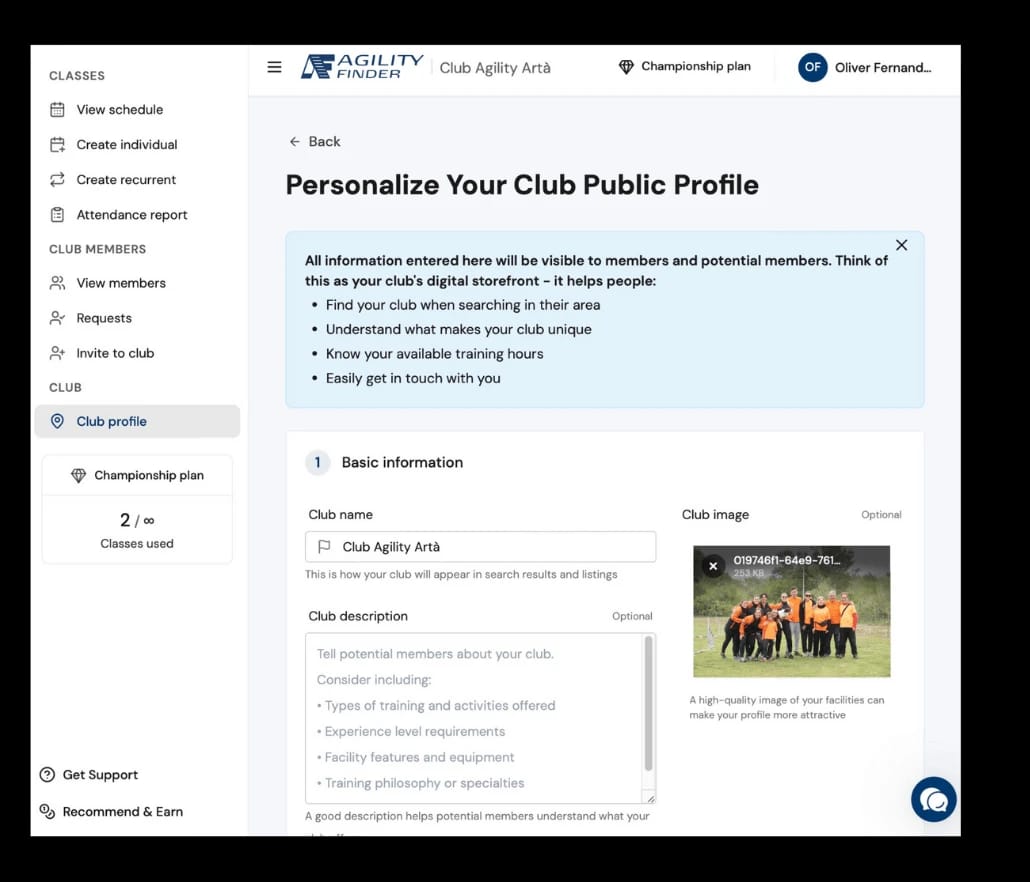
Go to your center profile and fill out:
- Name: how it appears in searches.
- Currency: the currency your prices are shown in.
- Description: what makes your center special.
- Photo: an image of your facilities.
- Address: mark your exact location on the map.
- Hours: when you are open each day.
- Contact: email, phone, and WhatsApp.
- Social media: website, Instagram, Facebook (optional).
The more information you add, the easier it is for people to find you.
3Add and invite members
You have two ways to add members to your center.
Option A: Send invitations
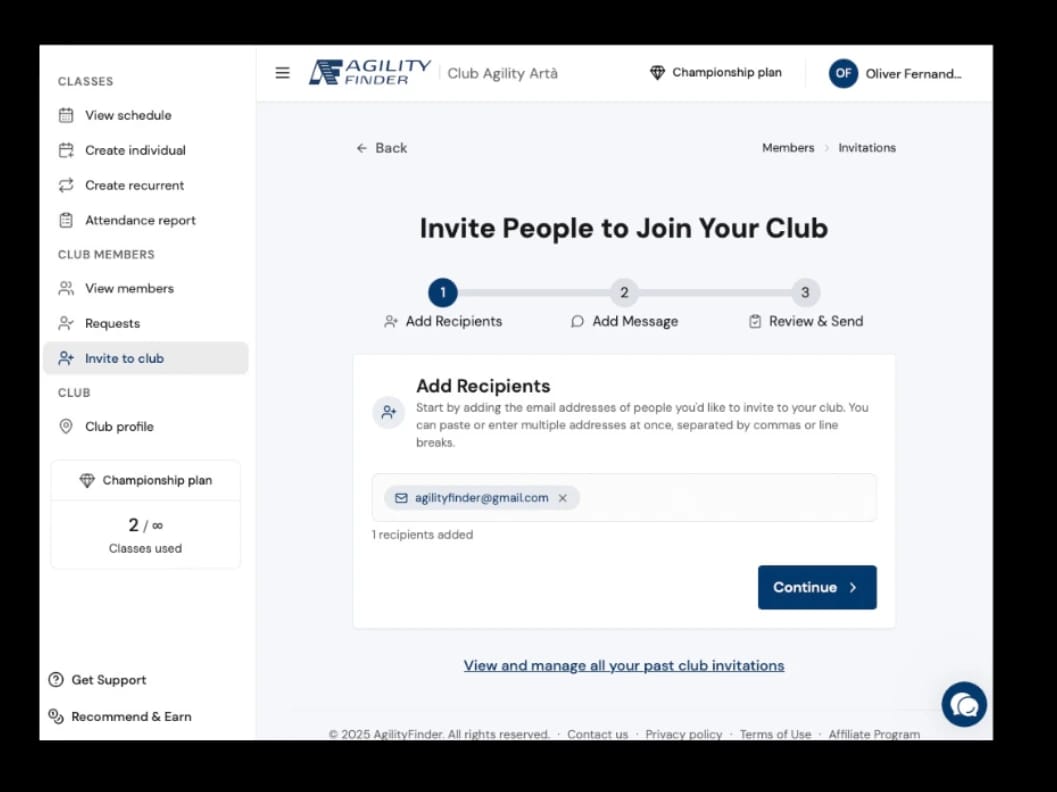
- Go to the Invite members section.
- Add the email addresses. Type or paste them (commas, spaces, and new lines all work) and add an optional welcome message.
- Review and send. You can invite up to 200 people at once.
Invitations expire after 14 days. Track, resend, or cancel them anytime from your invitations list.
Option B: Receive requests
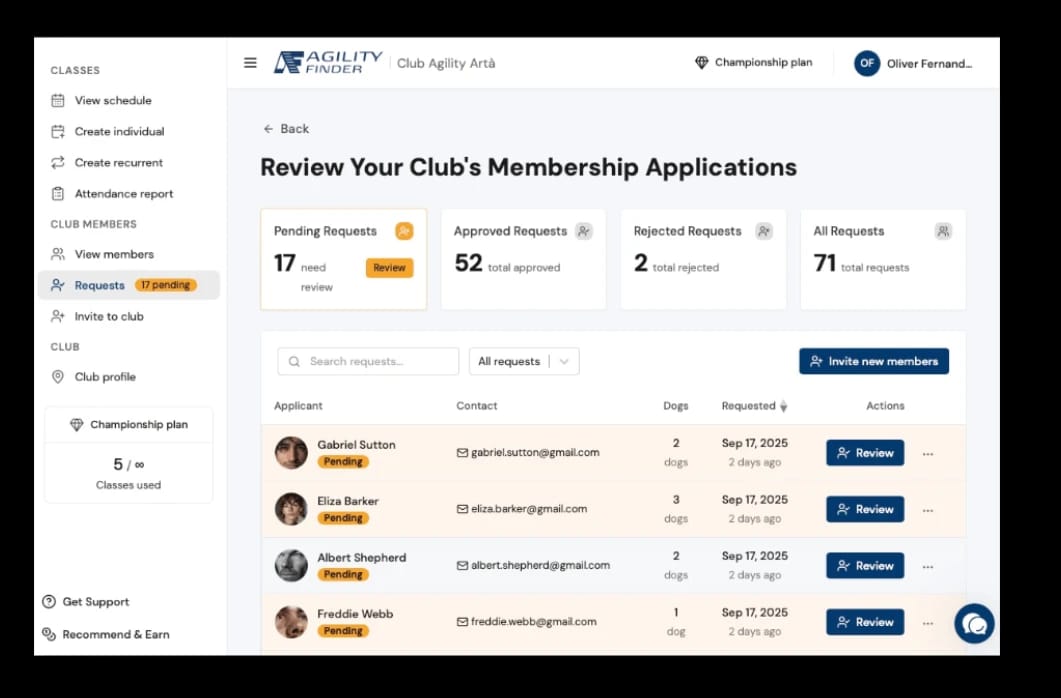
- Members can request to join from the mobile app.
- You review each request and approve or reject it. A rejection asks for a short reason, which the applicant sees.
- You see all their information: email, phone, WhatsApp, and their dogs.
Your center appears in the app once it has a location set. On the free plan you also need at least 5 active members; on a paid plan it appears right away.
4Manage members and quotas
You control everything about your members in the Members section.
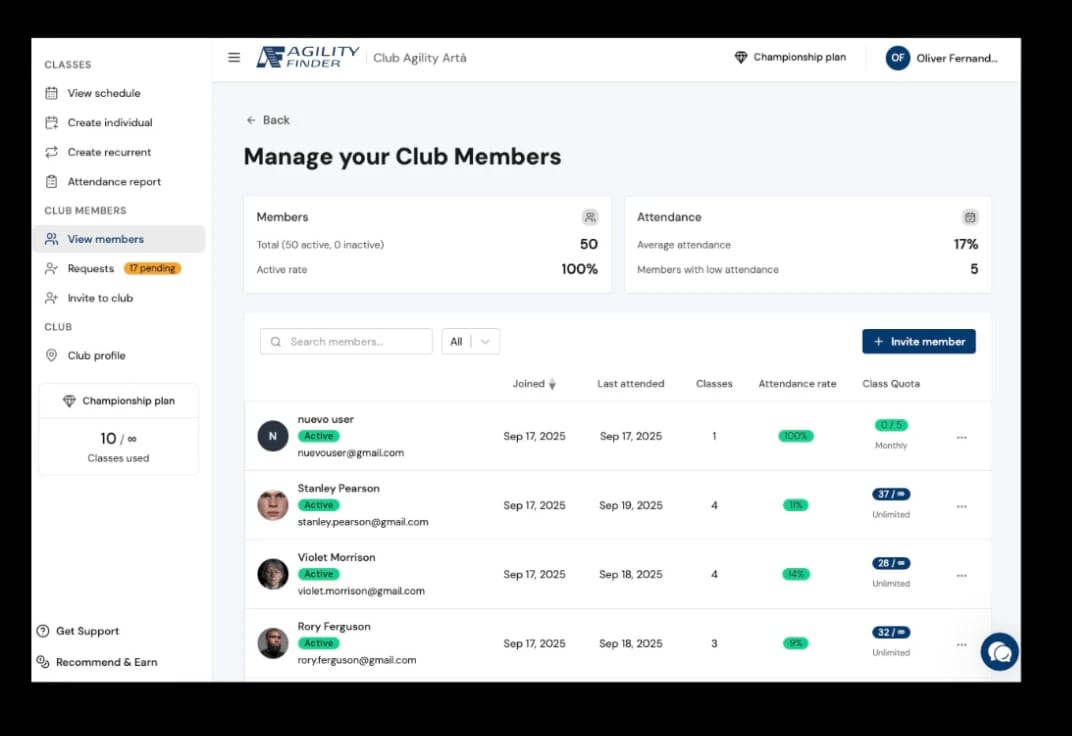
What you can do:
- View information for each member and their dogs.
- Set class quotas.
- Activate or deactivate memberships.
- Review attendance history.
- Manage multiple dogs per person.
Quotas:
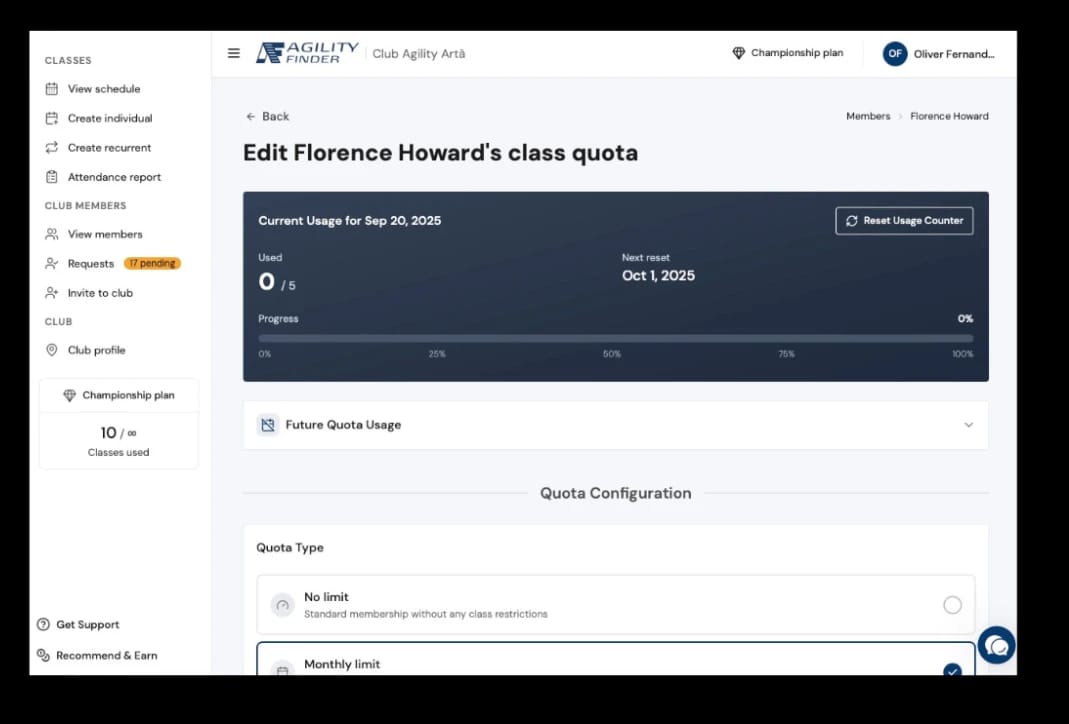
Set a separate limit for each kind of session, and choose how it renews:
- By session type: guided classes, open practice, and online, each with its own limit.
- By period: weekly, monthly, or a fixed total package.
- Unlimited: no limit at all.
5Create single and recurring classes
You can create classes in two ways.
Individual class (one time)
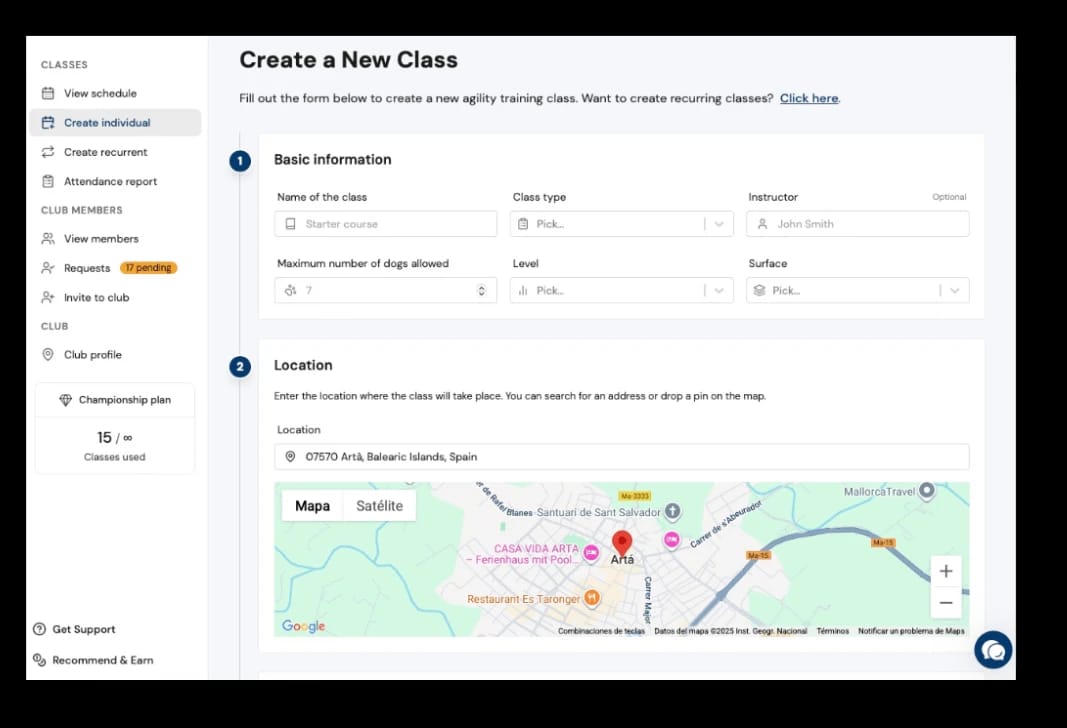
- Go to Create individual.
- Choose who can join: Open (anyone can find and book, ideal for seminars and attracting new clients) or Private (members only).
- Choose the format: Guided (instructor-led), Open practice (field rental, no instructor), or Online (a live video call, just paste the meeting link).
- Set the schedule: date, time, and duration. You can also set when enrollment opens and closes, and a cancellation deadline.
- Add the details: name, discipline (agility, obedience, nosework, and 12 more), level, and the maximum number of dogs. In-person classes also set the surface and location.
- Add an optional price per dog and any notes.
- Pre-enroll members' dogs to sign them up automatically.
- Create the class.
Recurring classes
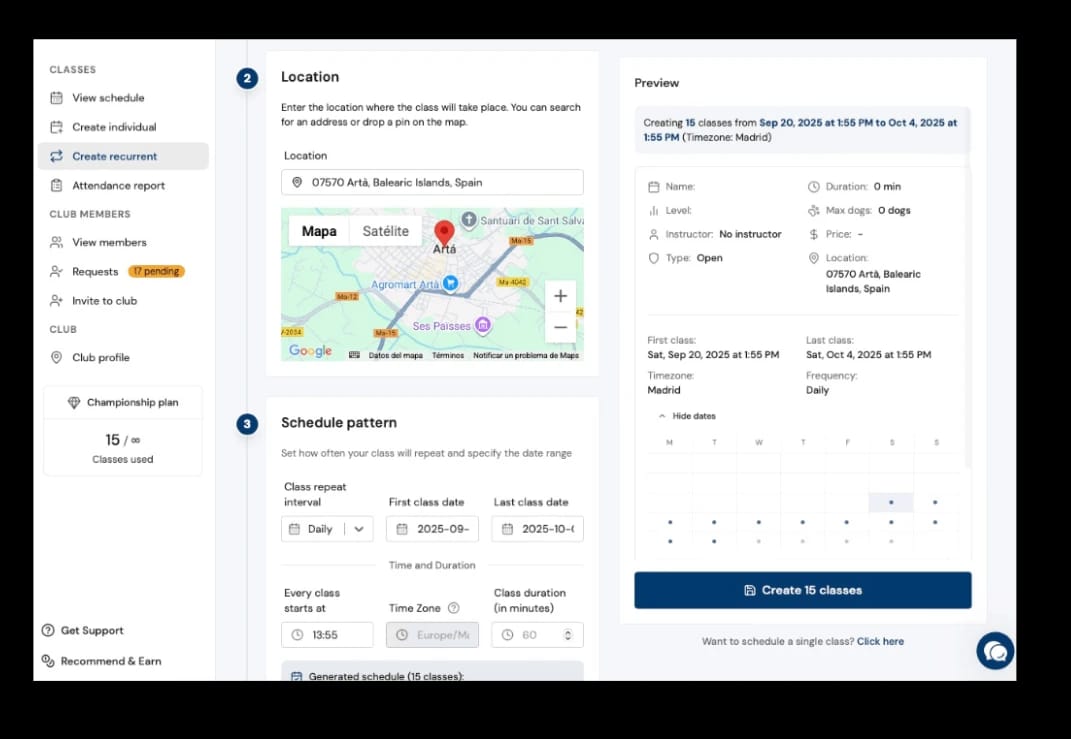
- Go to Create recurring. Need a few one-off classes instead? Use Multiple individual classes.
- Configure the base class as above.
- Choose how it repeats: daily, weekly, every other week, twice a month, every four weeks, monthly, or pick specific days of the week (like Mon/Wed/Fri).
- Set the start and end dates.
- Pre-enroll your regular members' dogs so they are booked into every session.
- Canlyo creates the whole series for you. A live preview shows every class before you confirm.
Use recurring classes with pre-enrollment for your regular sessions. It saves you hours of admin every week.
Each class counts toward your plan's monthly class slots. A live counter shows how many you have left, and you can upgrade anytime for more.
6Manage your class calendar
In View calendar you have visual control of everything.
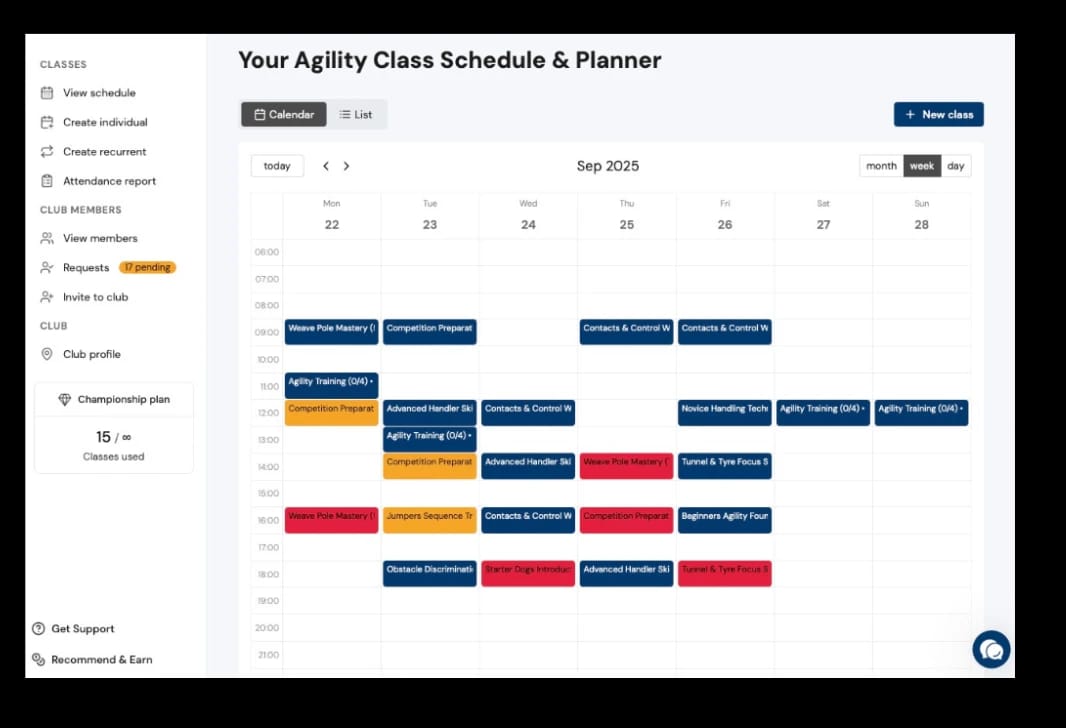
Each class is color-coded by how full it is, and shows its spots taken (like 3/8):
- Blue: spots available (up to 74% full).
- Amber: almost full (75-99%).
- Red: full.
- Gray: completed or canceled.
What you can do:
- See your week at a glance, or switch to day or month view.
- Click a class to view details, edit it, cancel it, or see who is enrolled.
- Click an empty slot to create a single or recurring class right there.
- Switch between calendar and list views.
7Track attendance and billing
In the Attendance report you have complete financial control.
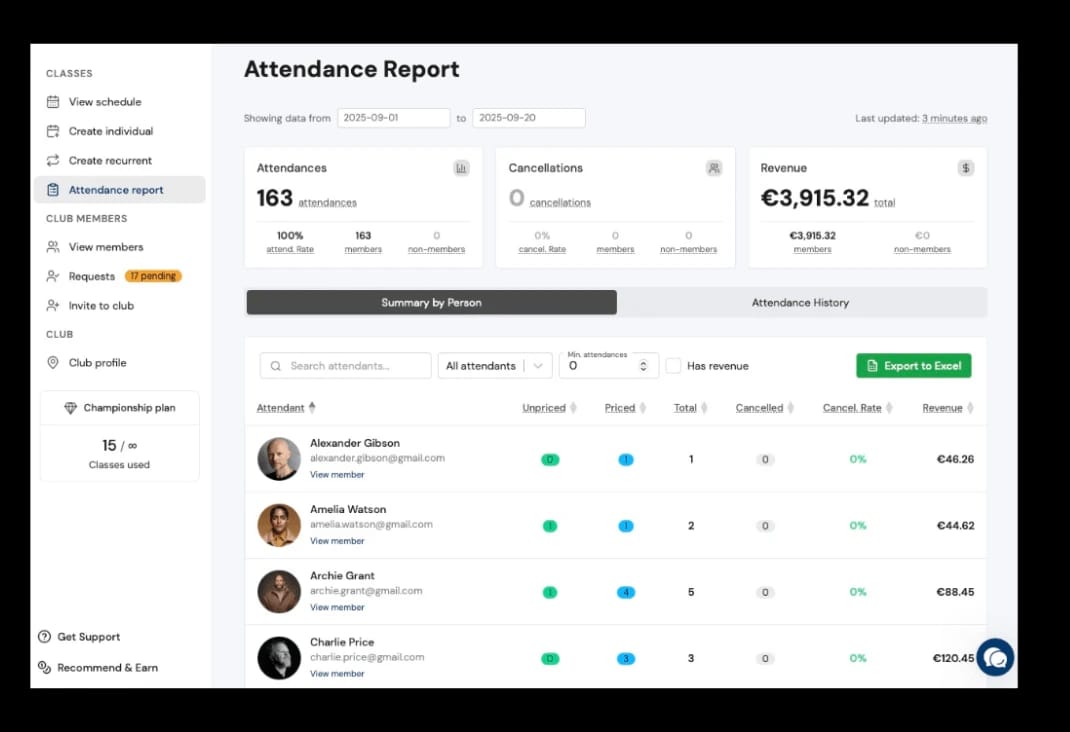
What you use it for:
- Bill your clients correctly.
- See total revenue and attendance for any period, split by members and guests.
- See which clients use more or fewer of their classes.
- Track cancellations and no-shows.
- Export your data for accounting.
How to use it:
- Select the period you want to review.
- Check the summary: attendances, cancellations, and revenue.
- Open the per-person summary to see each client's attendance and revenue.
- Export to a spreadsheet (CSV) if you need to.
This helps you make business decisions based on real data.
Frequently asked questions
What can you do with Canlyo?
Everything you need to run your center, in one place:
Manage your center without the paperwork
- In-person classes and open practice on a one-click recurring schedule: instructor-led sessions, or open practice and field rental without a coach.
- Live online classes: paste any meeting link (Zoom, Google Meet, Teams), each with its own spots and attendance.
- 15 disciplines (agility, obedience, nosework, and more), each with its own levels, formats, and surfaces.
- Attendance and revenue at a glance: take attendance from your phone and see what you bill, split by members and guests.
- Per-member quotas by session type (weekly, monthly, or total) that deduct themselves and block bookings once the limit is reached.
- Automatic waitlists: when a class fills up, members who want in join the waitlist on their own.
Your members manage themselves
- They book in-person and online classes whenever they want, from the free app.
- They keep their dogs, each with its own profile and level.
- They get automatic alerts for classes, cancellations and open spots.
Grow your center
- Public listing in the Canlyo network: get found by discipline and area.
- One-tap sign-up requests, with no website needed.
No time to set it up? Send us your data and we get everything ready (members, dogs, payments and schedules) in under 2 days.
How much does Canlyo cost?
After your free trial, choose the plan that fits how many classes you run each month. Every plan includes all features, so you only pay for class volume. At checkout, pick Personal or Business. Business adds your VAT or tax ID to your invoices, with no change to the price.
Puppy
16 classes per month
Perfect for independent trainers just starting out
Pro
32 classes per month
Ideal for growing trainers and small centers
Championship
unlimited classes
For established centers running many classes each month
Free trial with full access. No credit card required. Cancel anytime.
Start Free